It shows you first
Most save buttons are a black box. Sorrel puts the recipe in an editor you can type in — title, prep, cook and total time, servings, every ingredient, every step — and tells you which parts it read off the page.
 Sorrel
Recipe saver · Chrome & Edge · Free
One click in the browser, and it is in your library and on your phone. Sorrel reads the page, leaves the nine hundred words about Tuscany behind, and shows you what it found before anything is saved.
Free · No account needed · Nothing saved until you press the button
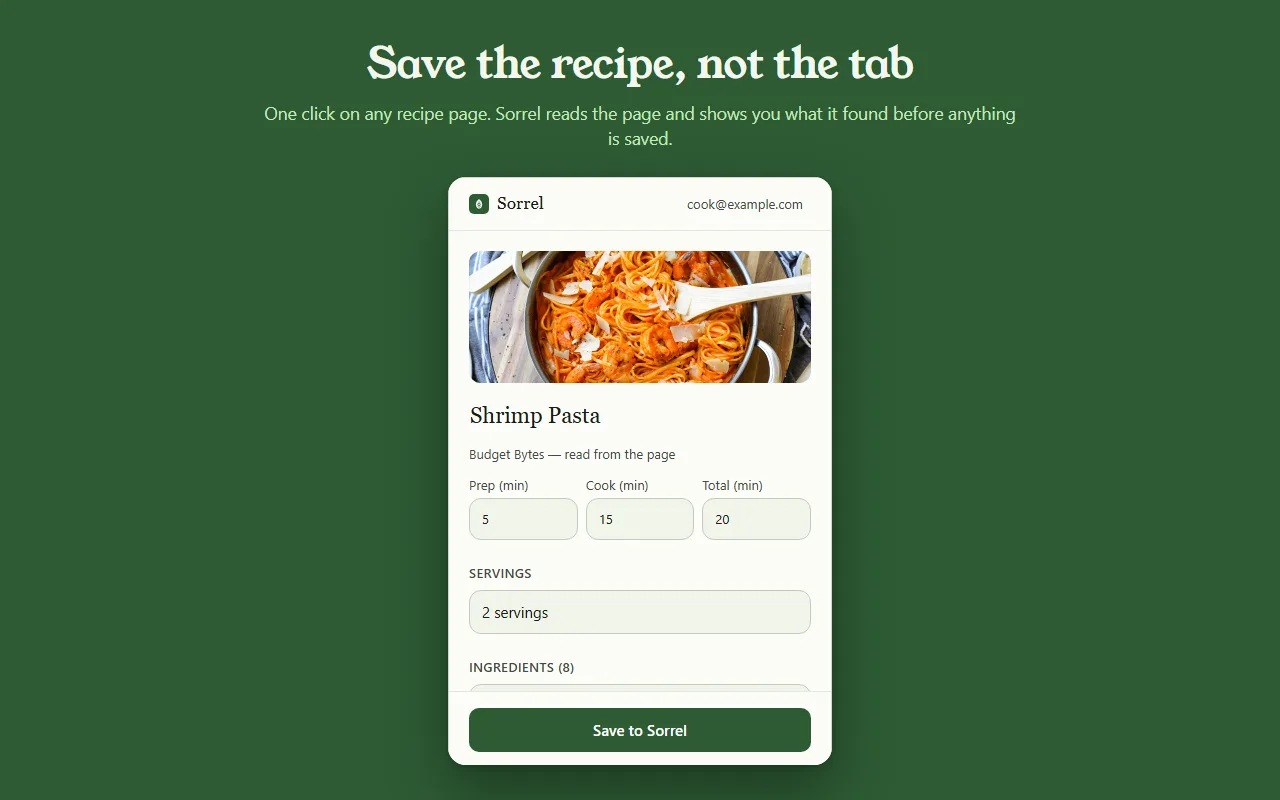
A preview of the real thing — nothing leaves this page.
Most save buttons are a black box. Sorrel puts the recipe in an editor you can type in — title, prep, cook and total time, servings, every ingredient, every step — and tells you which parts it read off the page.
Some sites bury the recipe in a widget. When Sorrel cannot read all of it, it says so, shows you what it did get, and lets you finish the job — here, or later on your phone.
Open a page you saved months ago and Sorrel tells you, by name, instead of quietly making a second copy. It keeps a small index of your own library in the browser to answer that without asking the network.
No account? No problem.
Not signed in, Sorrel hands you a QR code. Point your phone at it and the app opens the recipe and adds it to your library. No email, nothing to join, and the link keeps working for 30 days.
This is not a teaser with a countdown on it. It is a real way to use the extension for as long as you like, and it never asks you for anything.

In Sorrel on your phone, ask for a code and type it into the extension. A saved recipe is then in your library within seconds — in the browser, on your phone, and in the household you share a cookbook with. Sync is part of Sorrel Pro.

It declares no match patterns for any site and cannot read a page you have not invoked it on. Page access comes from your click alone. It talks to one server — api.sorrelapp.io — and there are no analytics, no telemetry and no third-party endpoints.
Yes — Sorrel is a free recipe saver that installs in Chrome, and in any Chromium browser like Edge, Brave or Arc. Open a recipe page, click the leaf in your toolbar, and Sorrel reads the recipe, shows you what it found, and saves it — to your phone as well as your browser.
No. Signed out, the extension hands you a QR code — point your phone at it and the recipe opens in the Sorrel app. Sign in later, with a six-character code, and saved recipes sync to your phone automatically. Either way there is nothing to register for.
Any recipe page — a food blog, a newspaper, a retailer. Sorrel pulls the title, photo, times, ingredients and steps and leaves the life story and the ads behind. When a page hides part of the recipe, it shows you what it got and lets you finish it in a tap.
The extension is free, with no ads and no tracking. It talks to one server — api.sorrelapp.io — and declares no access to any site until you click it. Saving to your library and syncing to your phone are part of Sorrel; a subscription is only needed for things like video import.
Chrome and Edge today, and the Chromium browsers built on them — Brave, Arc, Opera and Vivaldi. You install it once from the Chrome Web Store and it works the same in all of them.
Free · Chrome and Edge · No account needed