It shows you first
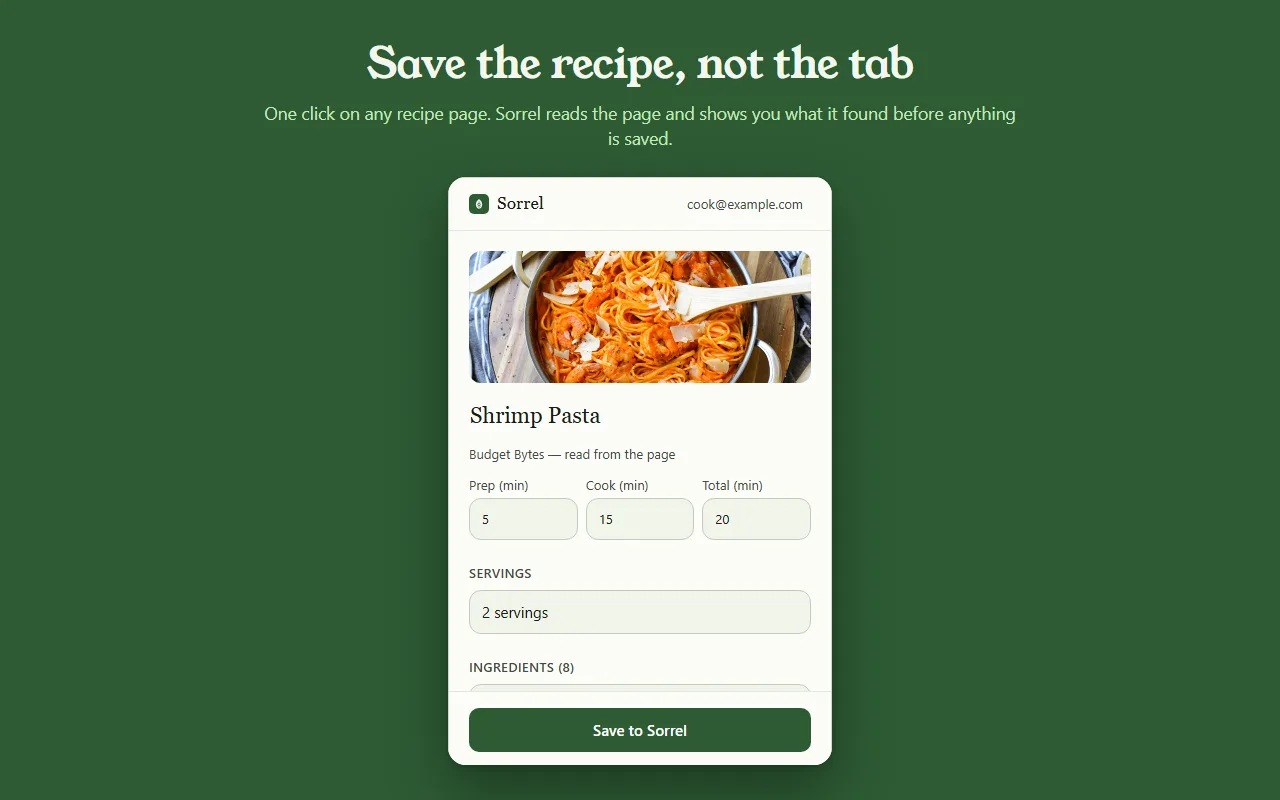
Most save buttons are a black box. Sorrel puts the recipe in an editor you can type in — title, prep, cook and total time, servings, every ingredient, every step — and tells you which parts it read off the page.
 Sorrel
Chrome & Edge · Free
One click in the browser, and it is in your library and on your phone. Sorrel reads the page, leaves the nine hundred words about Tuscany behind, and shows you what it found before anything is saved.
Free · No account needed · Nothing saved until you press the button
Una vista previa de lo real — nada sale de esta página.
Most save buttons are a black box. Sorrel puts the recipe in an editor you can type in — title, prep, cook and total time, servings, every ingredient, every step — and tells you which parts it read off the page.
Some sites bury the recipe in a widget. When Sorrel cannot read all of it, it says so, shows you what it did get, and lets you finish the job — here, or later on your phone.
Open a page you saved months ago and Sorrel tells you, by name, instead of quietly making a second copy. It keeps a small index of your own library in the browser to answer that without asking the network.
No account? No problem.
Not signed in, Sorrel hands you a QR code. Point your phone at it and the app opens the recipe and adds it to your library. No email, nothing to join, and the link keeps working for 30 days.
This is not a teaser with a countdown on it. It is a real way to use the extension for as long as you like, and it never asks you for anything.

In Sorrel on your phone, ask for a code and type it into the extension. A saved recipe is then in your library within seconds — in the browser, on your phone, and in the household you share a cookbook with. Sync is part of Sorrel Pro.

It declares no match patterns for any site and cannot read a page you have not invoked it on. Page access comes from your click alone. It talks to one server — api.sorrelapp.io — and there are no analytics, no telemetry and no third-party endpoints.
Sí — Sorrel guarda recetas gratis y se instala en Chrome, y en cualquier navegador Chromium como Edge, Brave o Arc. Abre una página de receta, haz clic en la hoja de tu barra de herramientas, y Sorrel lee la receta, te muestra lo que encontró y la guarda — en tu móvil además de en tu navegador.
No. Sin iniciar sesión, la extensión te da un código QR — apunta tu móvil hacia él y la receta se abre en la app Sorrel. Inicia sesión más tarde, con un código de seis caracteres, y las recetas guardadas se sincronizan con tu móvil automáticamente. En cualquier caso, no hay que registrarse para nada.
Cualquier página de receta — un blog de cocina, un periódico, una tienda. Sorrel saca el título, la foto, los tiempos, los ingredientes y los pasos, y deja atrás las batallitas y los anuncios. Cuando una página esconde parte de la receta, te muestra lo que consiguió y te deja terminarla con un toque.
La extensión es gratis, sin anuncios y sin seguimiento. Habla con un único servidor — api.sorrelapp.io — y no declara acceso a ningún sitio hasta que haces clic en ella. Guardar en tu biblioteca y sincronizar con tu móvil forman parte de Sorrel; solo hace falta una suscripción para cosas como la importación de vídeos.
Chrome y Edge hoy, y los navegadores Chromium construidos sobre ellos — Brave, Arc, Opera y Vivaldi. La instalas una vez desde la Chrome Web Store y funciona igual en todos.
Free · Chrome and Edge · No account needed