It shows you first
Most save buttons are a black box. Sorrel puts the recipe in an editor you can type in — title, prep, cook and total time, servings, every ingredient, every step — and tells you which parts it read off the page.
 Sorrel
Chrome & Edge · Free
One click in the browser, and it is in your library and on your phone. Sorrel reads the page, leaves the nine hundred words about Tuscany behind, and shows you what it found before anything is saved.
Free · No account needed · Nothing saved until you press the button
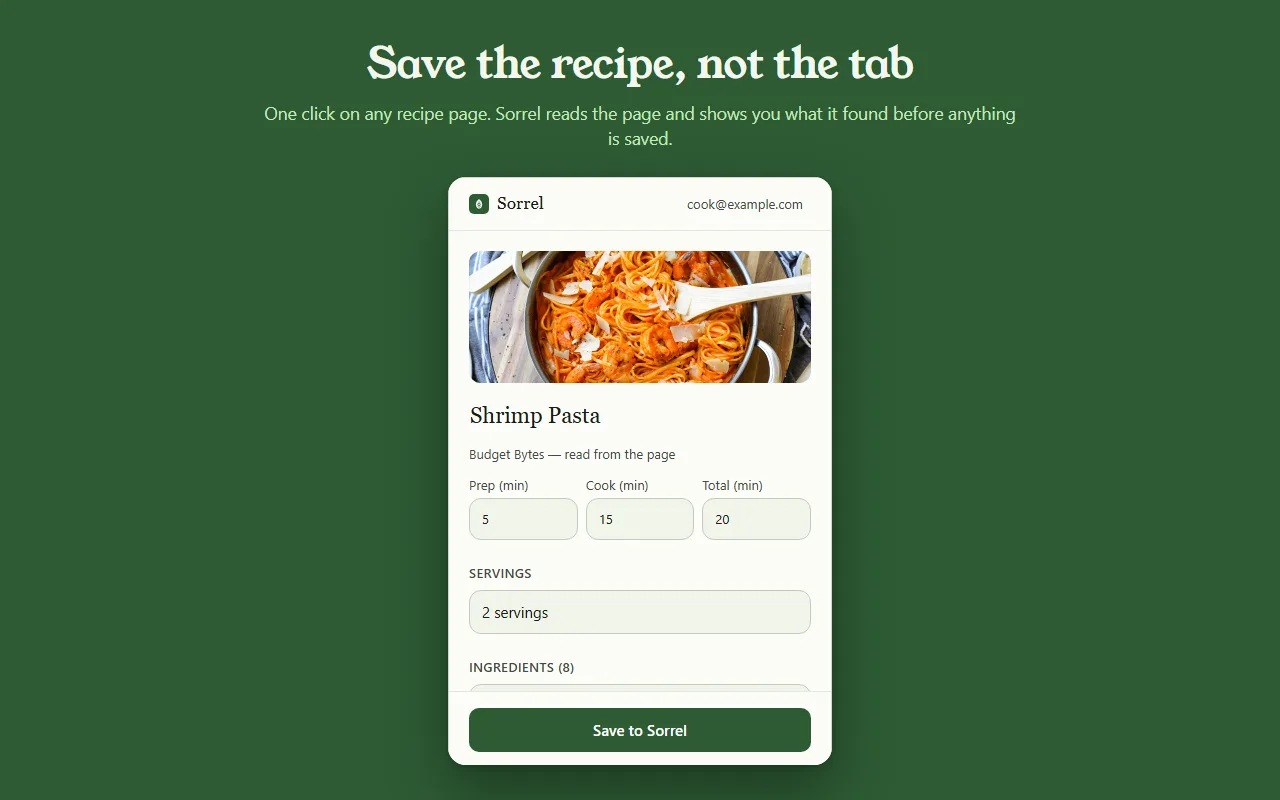
Превью того, как всё работает, — ничего не покидает эту страницу.
Most save buttons are a black box. Sorrel puts the recipe in an editor you can type in — title, prep, cook and total time, servings, every ingredient, every step — and tells you which parts it read off the page.
Some sites bury the recipe in a widget. When Sorrel cannot read all of it, it says so, shows you what it did get, and lets you finish the job — here, or later on your phone.
Open a page you saved months ago and Sorrel tells you, by name, instead of quietly making a second copy. It keeps a small index of your own library in the browser to answer that without asking the network.
No account? No problem.
Not signed in, Sorrel hands you a QR code. Point your phone at it and the app opens the recipe and adds it to your library. No email, nothing to join, and the link keeps working for 30 days.
This is not a teaser with a countdown on it. It is a real way to use the extension for as long as you like, and it never asks you for anything.

In Sorrel on your phone, ask for a code and type it into the extension. A saved recipe is then in your library within seconds — in the browser, on your phone, and in the household you share a cookbook with. Sync is part of Sorrel Pro.

It declares no match patterns for any site and cannot read a page you have not invoked it on. Page access comes from your click alone. It talks to one server — api.sorrelapp.io — and there are no analytics, no telemetry and no third-party endpoints.
Да. Sorrel — бесплатное расширение для сохранения рецептов, которое ставится в Chrome и в любой браузер на Chromium, будь то Edge, Brave или Arc. Откройте страницу с рецептом, нажмите на лист на панели инструментов — и Sorrel прочитает рецепт, покажет, что нашёл, и сохранит его и в браузере, и на телефоне.
Нет. Без входа расширение выдаёт QR-код — наведите на него телефон, и рецепт откроется в приложении Sorrel. Войдёте позже, по шестизначному коду, — и сохранённые рецепты будут синхронизироваться на телефон автоматически. Так или иначе, регистрироваться нигде не нужно.
Любую страницу с рецептом — кулинарный блог, газету, магазин. Sorrel берёт название, фото, время, ингредиенты и шаги, оставляя позади истории из жизни и рекламу. Когда страница прячет часть рецепта, он показывает, что удалось получить, и даёт дополнить остальное одним касанием.
Расширение бесплатно, без рекламы и без отслеживания. Оно обращается к одному серверу — api.sorrelapp.io — и не заявляет доступ ни к одному сайту, пока вы его не нажмёте. Сохранение в библиотеку и синхронизация с телефоном — часть Sorrel; подписка нужна лишь для таких вещей, как импорт из видео.
Сегодня — Chrome и Edge, а также браузеры на Chromium, построенные на них: Brave, Arc, Opera и Vivaldi. Устанавливаете его один раз из Chrome Web Store — и он работает одинаково во всех.
Free · Chrome and Edge · No account needed