Save any recipe
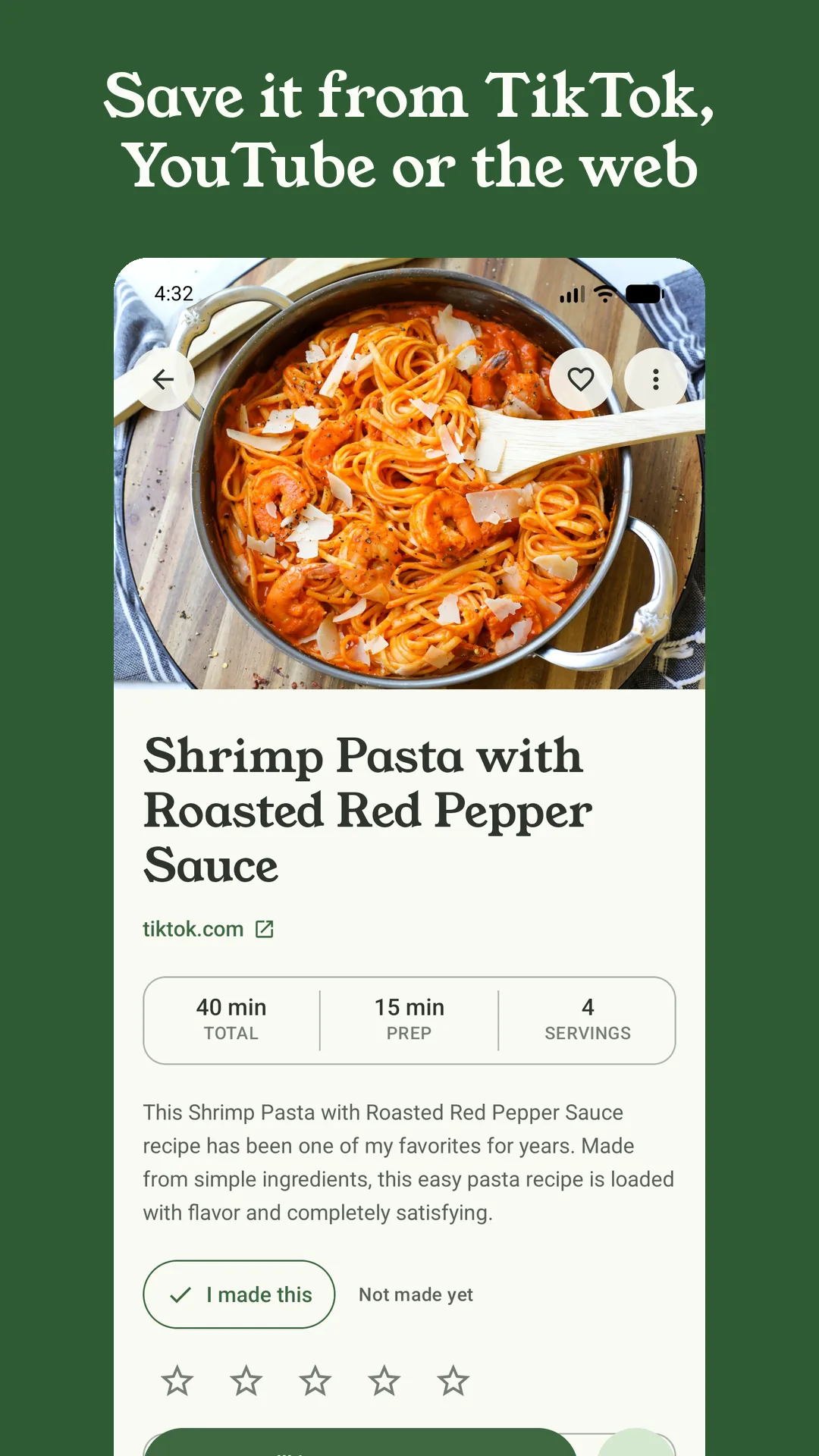
Share a link from your browser and Sorrel reads the recipe itself — title, photo, ingredients, steps — with the ads and life stories left behind. Pages that hold back the details save as drafts you finish in a tap.
 Sorrel
Native on Android and iPhone
Save any recipe — from a website, a TikTok, a YouTube video, even a photo of a card. Plan the week, shop a list sorted the way your store is laid out, and cook from a screen made for the kitchen.
Free to start · No account needed · No ads, ever
Cooking from a laptop? Add Sorrel to your browser — free, no account.
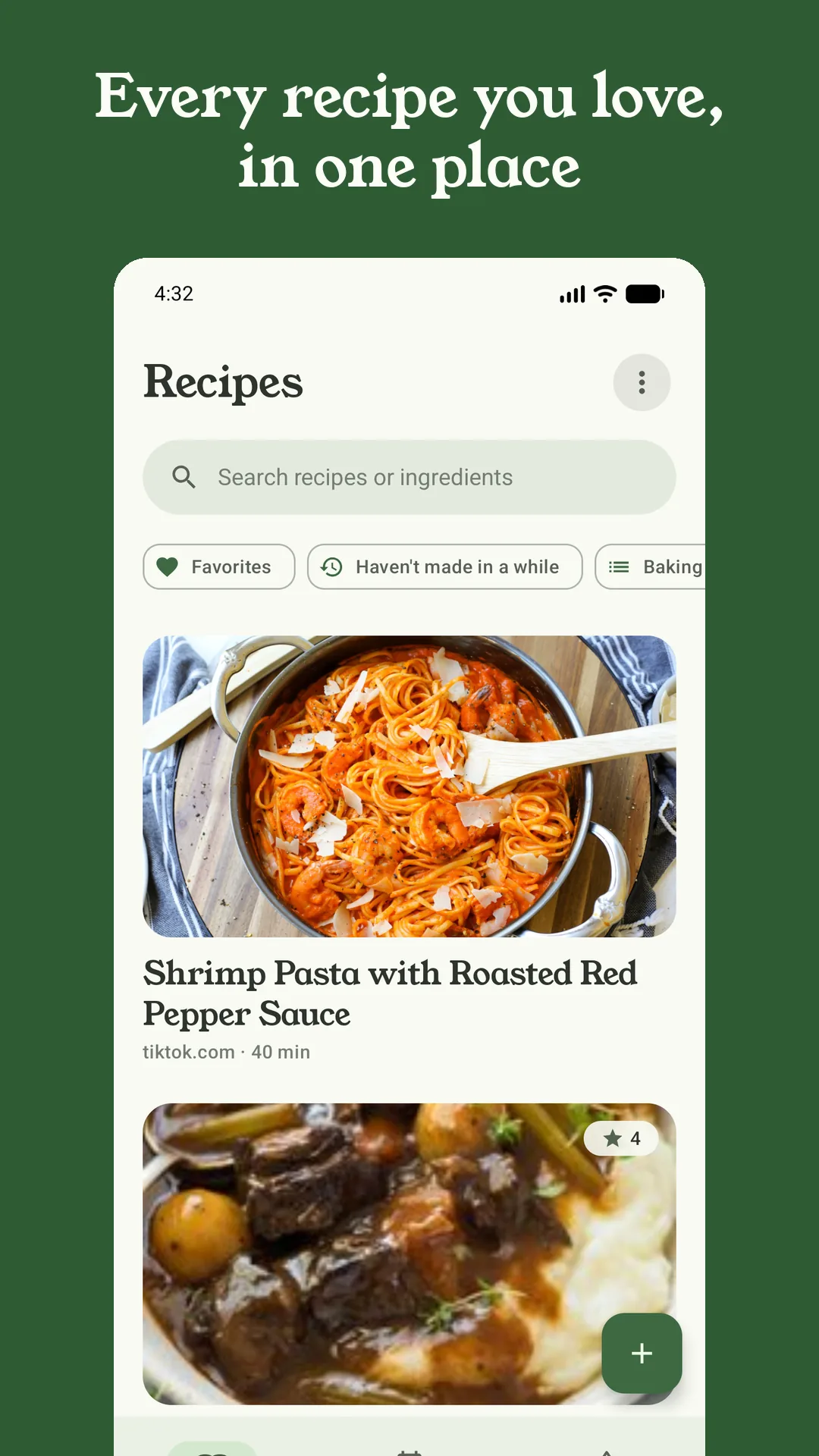
Share a link from your browser and Sorrel reads the recipe itself — title, photo, ingredients, steps — with the ads and life stories left behind. Pages that hold back the details save as drafts you finish in a tap.
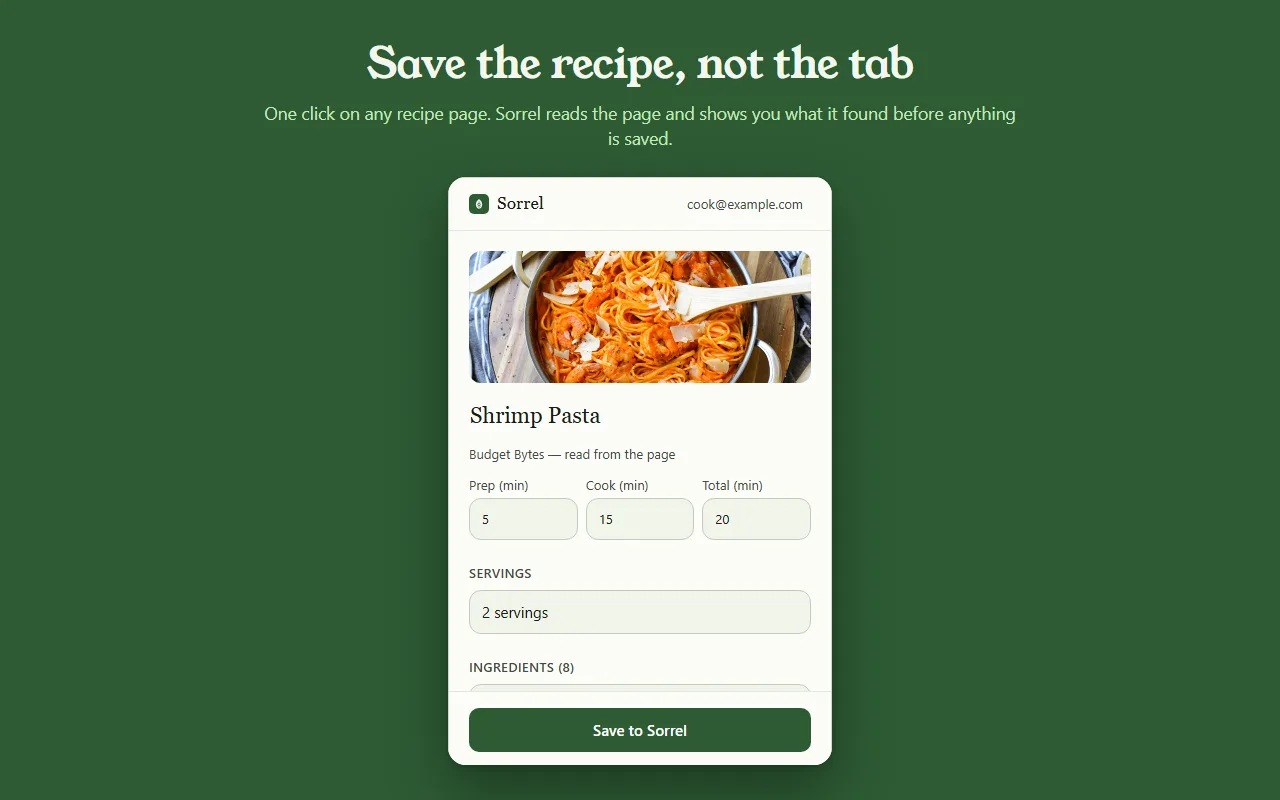
Sorrel's browser extension puts one button on any recipe page. It shows you the recipe it read before anything is saved, and it lands on your phone. No account needed — point your phone at the QR code instead.
Add to your browserShare a TikTok, Instagram Reel or YouTube video and Sorrel watches it for you — the caption first, then what the cook says, then the frames themselves. It keeps working in the background while you get on with your day.
Save TikTok recipesGrandma's handwriting, a cookbook spread, a magazine clipping — scan up to three pages and Sorrel types them up. It reads on your phone first, and asks before a stubborn page gets sent to the cloud for help.
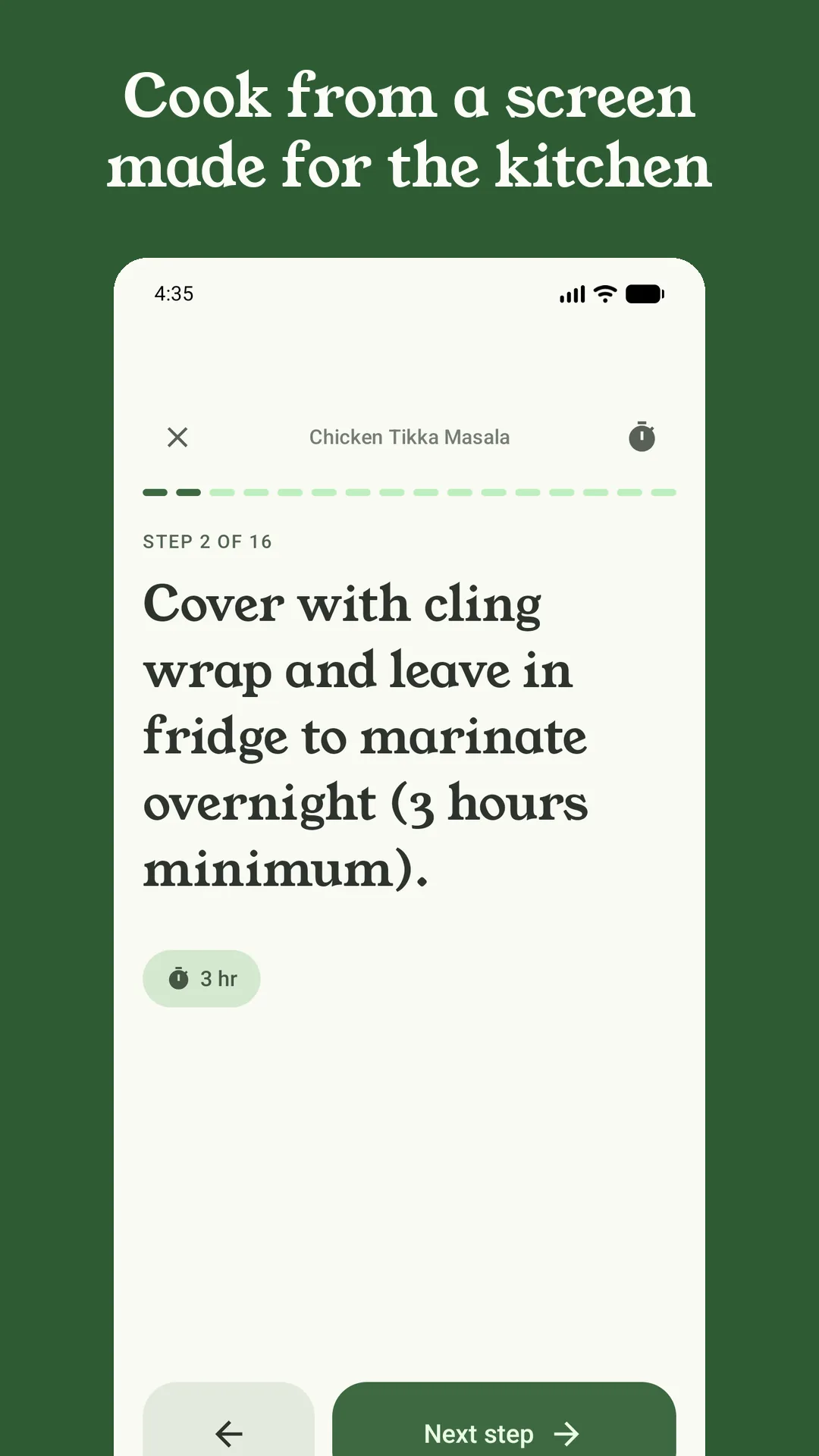
Scan handwritten recipesHuge type, one step at a time, screen stays awake. Each step shows only the ingredients it needs, every time it mentions becomes a one-tap timer that keeps counting on your lock screen, and your own notes appear before step one.
Drop recipes onto breakfast, lunch and dinner — or let Sorrel arrange the week from your own library. One tap sends the whole plan to your grocery list, and a home-screen widget answers "what's for dinner?" before anyone asks.
The list sorts itself into produce, dairy, pantry — in the order you walk the store — merges duplicate quantities, and remembers where you find things when you correct it.
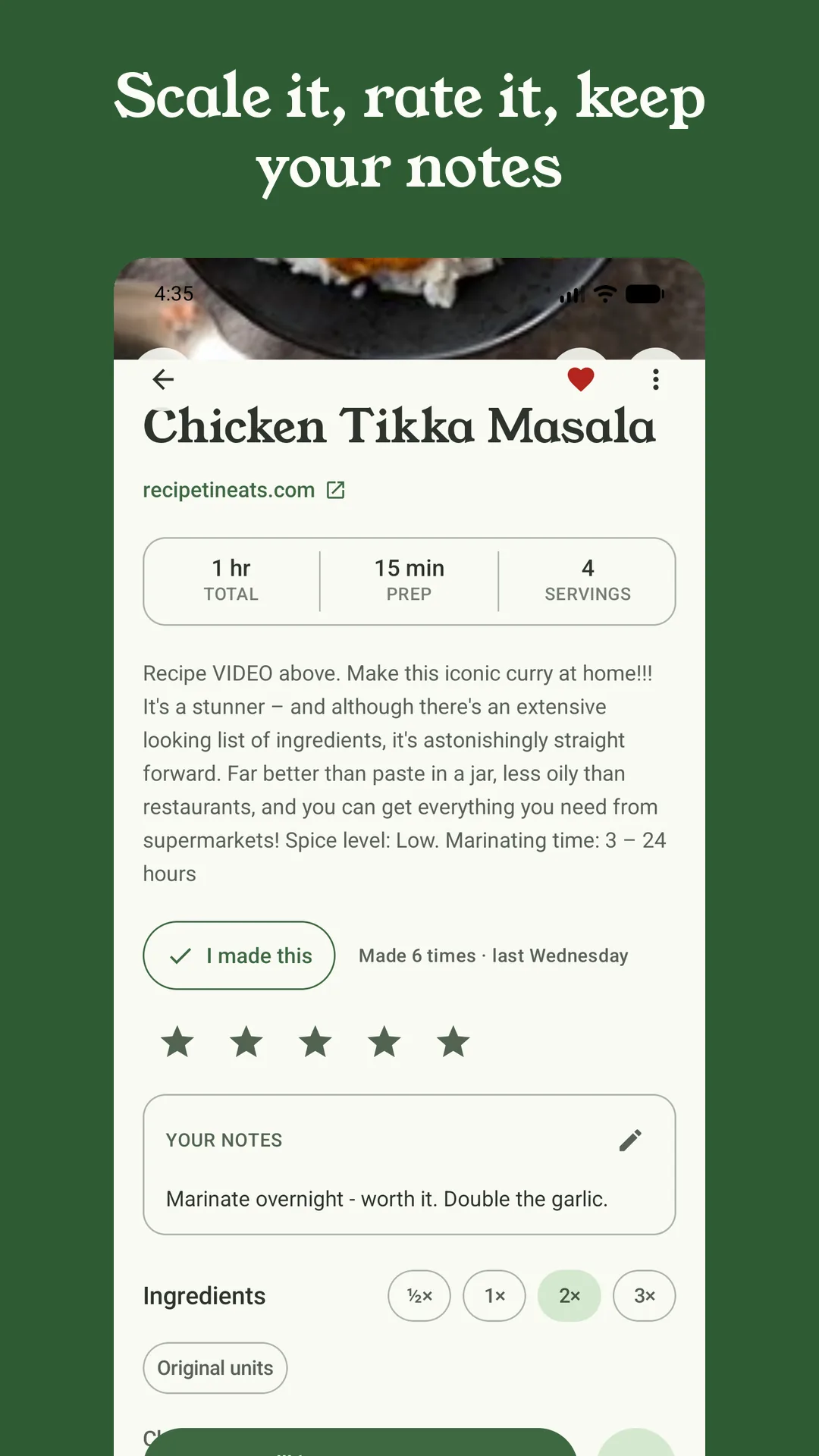
Tap "I made this" and Sorrel keeps a cook journal: how many times, when, your rating and your notes. A "haven't made in a while" shelf brings old favourites back around.
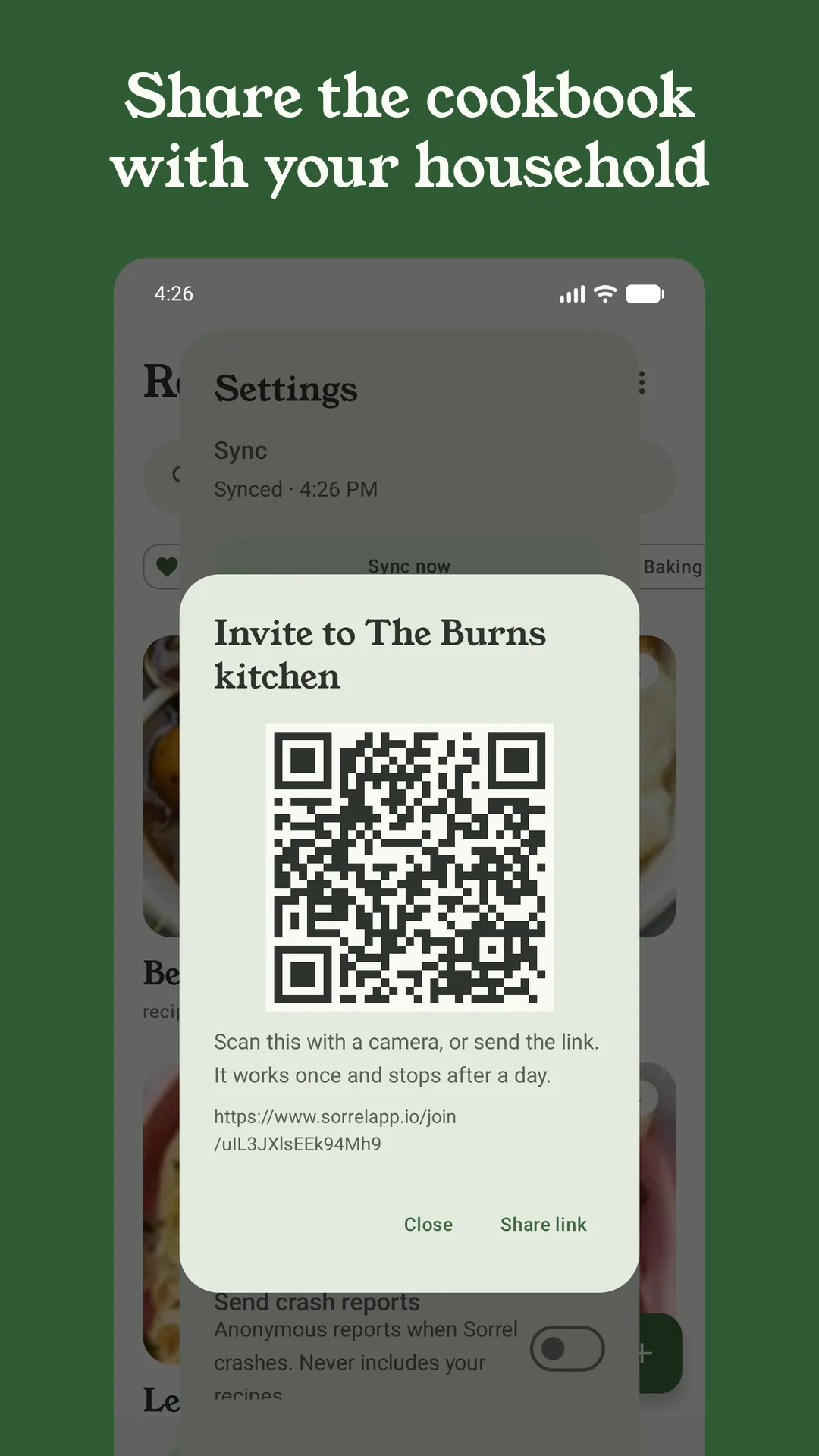
Start a household and everyone shares one cookbook and one grocery list, live — check off the milk in the store and it disappears from the phone at home. Only the owner needs Pro; sync keeps the same library on every phone you own.
Cook together as a familyWorks offline. No account unless you turn on sync. Scale any recipe with proper kitchen fractions — 1½, not 1.5 — and export everything any time: Sorrel JSON, Paprika format, PDF, or one backup file. Imports from Paprika and ReciMe too.
Import from PaprikaSorrel's AI arranges a week of dinners from your own recipes — quick ones and slow ones, favourites you haven't made in a while — and one tap turns the plan into a grocery list. It only ever sees your recipe titles, never your recipes.


Sorrel in your browser
Click the leaf on any recipe page. Sorrel reads the page, shows you the recipe it found, and saves it to your library — where your phone picks it up. Signed out it hands you a QR code instead: point your phone at it and the recipe is in the app. Free, and there is nothing to sign up for.
Free · No account needed · Works in Chrome and Edge
Sorrel Pro
Your library, web import, the browser extension, meal planning, collections, the cook journal, aisle-sorted groceries, export and backup are free — forever, with no cap on recipes. One subscription unlocks the features that need Sorrel's servers to do the work.
Monthly or annual, with a 7-day free trial on the annual plan. Prices are shown in the app; manage or cancel any time in Google Play or the App Store.
Its Android app got two bugfixes in all of 2025. Sorrel is young and shipping fast — video import, sync, household sharing, lock-screen cook timers, multi-page scanning and meal plans that arrange themselves have all landed in the past few months — and it imports your Paprika library in one tap.
Now on iPhone. The same cookbook, the same live grocery list — and a household that spans Android and iOS.