It shows you first
Most save buttons are a black box. Sorrel puts the recipe in an editor you can type in — title, prep, cook and total time, servings, every ingredient, every step — and tells you which parts it read off the page.
 Sorrel
Chrome & Edge · Free
One click in the browser, and it is in your library and on your phone. Sorrel reads the page, leaves the nine hundred words about Tuscany behind, and shows you what it found before anything is saved.
Free · No account needed · Nothing saved until you press the button
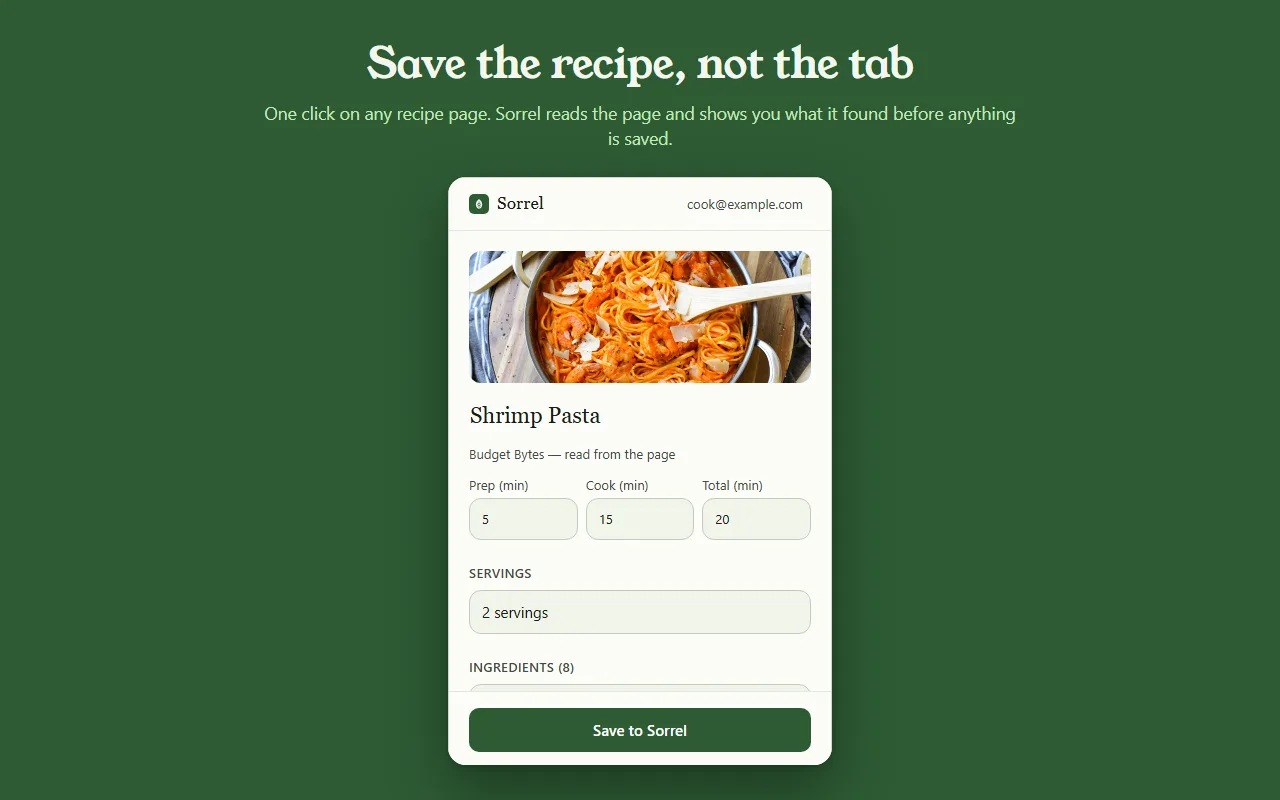
本番の動きのプレビューです — このページから何も送信されません。
Most save buttons are a black box. Sorrel puts the recipe in an editor you can type in — title, prep, cook and total time, servings, every ingredient, every step — and tells you which parts it read off the page.
Some sites bury the recipe in a widget. When Sorrel cannot read all of it, it says so, shows you what it did get, and lets you finish the job — here, or later on your phone.
Open a page you saved months ago and Sorrel tells you, by name, instead of quietly making a second copy. It keeps a small index of your own library in the browser to answer that without asking the network.
No account? No problem.
Not signed in, Sorrel hands you a QR code. Point your phone at it and the app opens the recipe and adds it to your library. No email, nothing to join, and the link keeps working for 30 days.
This is not a teaser with a countdown on it. It is a real way to use the extension for as long as you like, and it never asks you for anything.

In Sorrel on your phone, ask for a code and type it into the extension. A saved recipe is then in your library within seconds — in the browser, on your phone, and in the household you share a cookbook with. Sync is part of Sorrel Pro.

It declares no match patterns for any site and cannot read a page you have not invoked it on. Page access comes from your click alone. It talks to one server — api.sorrelapp.io — and there are no analytics, no telemetry and no third-party endpoints.
はい — Sorrelは無料のレシピ保存ツールで、Chromeにも、EdgeやBrave、ArcといったChromium系のブラウザにもインストールできます。レシピページを開いてツールバーの葉っぱをクリックすると、Sorrelがレシピを読み取り、見つけた内容を見せてから保存します — ブラウザだけでなく、スマホにも。
いいえ。ログインしていないときは、拡張機能がQRコードを渡します — スマホをかざせば、Sorrelアプリでそのレシピが開きます。あとから6文字のコードでサインインすれば、保存したレシピは自動でスマホに同期されます。どちらにしても、登録するものは何もありません。
どんなレシピページでも — 料理ブログ、新聞、通販サイト。Sorrelはタイトル、写真、時間、材料、手順を取り出し、長い身の上話や広告は置き去りにします。ページがレシピの一部を隠しているときは、つかんだ分を見せて、ワンタップで仕上げられるようにします。
拡張機能は無料で、広告もトラッキングもありません。やり取りするサーバーはひとつ — api.sorrelapp.io — だけで、あなたがクリックするまではどのサイトへのアクセスも宣言しません。ライブラリへの保存とスマホへの同期はSorrelの一部です。サブスクリプションが必要なのは、動画からの取り込みのような機能だけです。
今のところChromeとEdge、そしてそれらを土台にしたChromium系のブラウザ — Brave、Arc、Opera、Vivaldiです。Chrome Web Storeから一度インストールすれば、どのブラウザでも同じように動きます。
Free · Chrome and Edge · No account needed