It shows you first
Most save buttons are a black box. Sorrel puts the recipe in an editor you can type in — title, prep, cook and total time, servings, every ingredient, every step — and tells you which parts it read off the page.
 Sorrel
Chrome & Edge · Free
One click in the browser, and it is in your library and on your phone. Sorrel reads the page, leaves the nine hundred words about Tuscany behind, and shows you what it found before anything is saved.
Free · No account needed · Nothing saved until you press the button
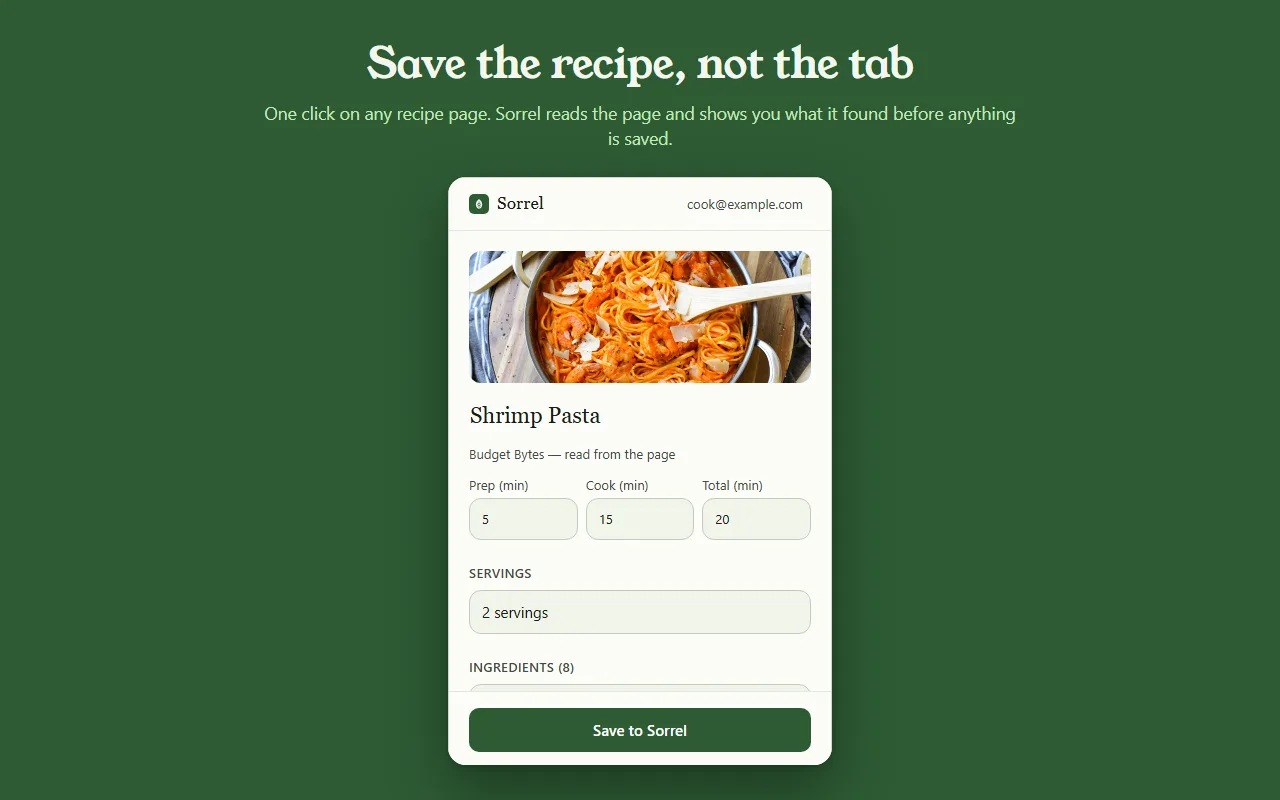
这只是真实效果的预览——没有任何内容离开本页。
Most save buttons are a black box. Sorrel puts the recipe in an editor you can type in — title, prep, cook and total time, servings, every ingredient, every step — and tells you which parts it read off the page.
Some sites bury the recipe in a widget. When Sorrel cannot read all of it, it says so, shows you what it did get, and lets you finish the job — here, or later on your phone.
Open a page you saved months ago and Sorrel tells you, by name, instead of quietly making a second copy. It keeps a small index of your own library in the browser to answer that without asking the network.
No account? No problem.
Not signed in, Sorrel hands you a QR code. Point your phone at it and the app opens the recipe and adds it to your library. No email, nothing to join, and the link keeps working for 30 days.
This is not a teaser with a countdown on it. It is a real way to use the extension for as long as you like, and it never asks you for anything.

In Sorrel on your phone, ask for a code and type it into the extension. A saved recipe is then in your library within seconds — in the browser, on your phone, and in the household you share a cookbook with. Sync is part of Sorrel Pro.

It declares no match patterns for any site and cannot read a page you have not invoked it on. Page access comes from your click alone. It talks to one server — api.sorrelapp.io — and there are no analytics, no telemetry and no third-party endpoints.
是的——Sorrel 是一款免费的菜谱保存工具,可以装进 Chrome,也可以装进 Edge、Brave 或 Arc 这样的任何 Chromium 浏览器。打开一个菜谱页面,点一下工具栏里的那片叶子,Sorrel 就把菜谱读出来、给你看它找到了什么,再把它保存下来——存进你的浏览器,也存进你的手机。
不需要。未登录时,扩展会给你一个 QR 码——用手机对准它,菜谱就在 Sorrel 应用里打开了。之后想登录,用一个六位字符的验证码,保存过的菜谱就会自动同步到你的手机。无论哪种方式,都没有什么需要注册的。
任何菜谱页面——美食博客、报纸、零售商都行。Sorrel 会抓出标题、图片、时长、食材和步骤,把长篇故事和广告统统留在原地。当一个页面把菜谱藏起一部分时,它会先给你看它拿到的,让你点一下就补齐。
扩展是免费的,没有广告,也没有追踪。它只和一个服务器打交道——api.sorrelapp.io——而且在你点它之前,不声明对任何网站的访问权限。保存到你的菜谱库、同步到你的手机,都是 Sorrel 的一部分;只有视频导入这类功能才需要订阅。
目前支持 Chrome 和 Edge,以及以它们为基础的 Chromium 浏览器——Brave、Arc、Opera 和 Vivaldi。从 Chrome Web Store 安装一次,在它们里面用起来都一样。
Free · Chrome and Edge · No account needed