It shows you first
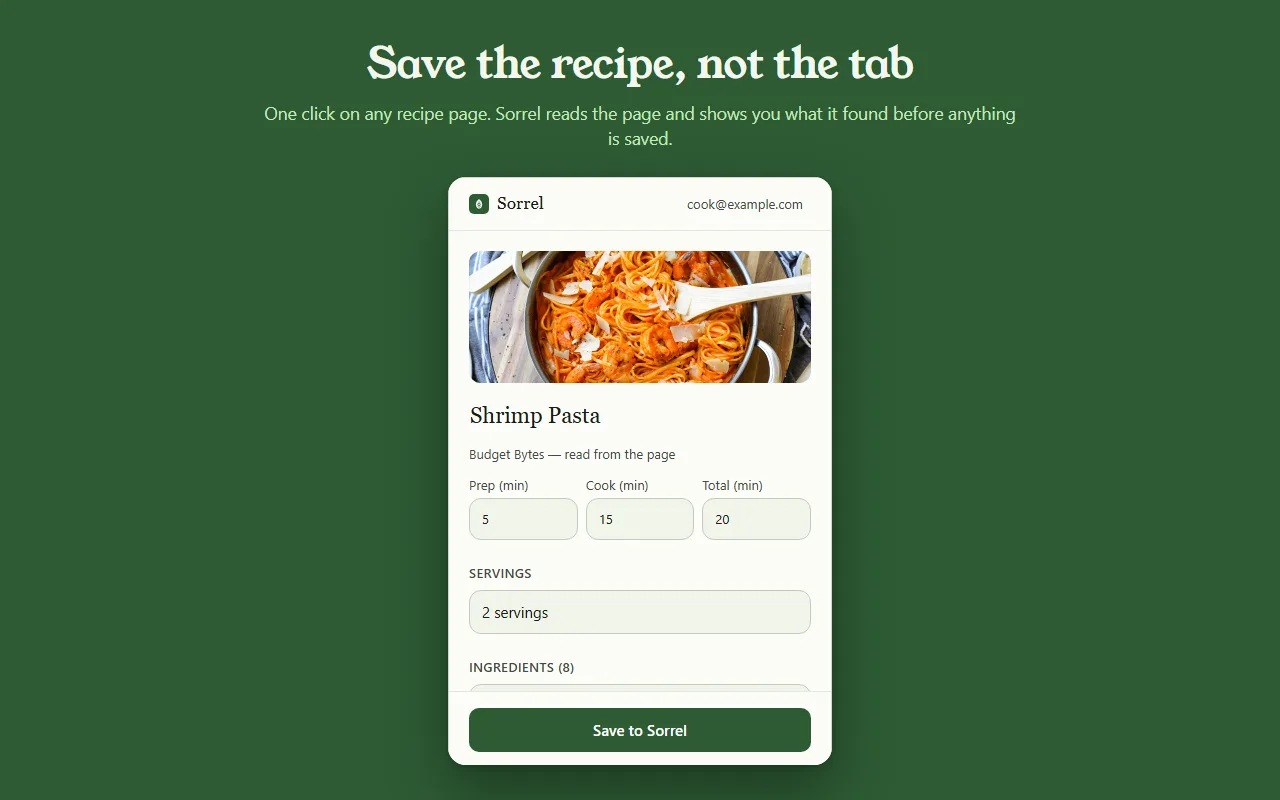
Most save buttons are a black box. Sorrel puts the recipe in an editor you can type in — title, prep, cook and total time, servings, every ingredient, every step — and tells you which parts it read off the page.
 Sorrel
Chrome & Edge · Free
One click in the browser, and it is in your library and on your phone. Sorrel reads the page, leaves the nine hundred words about Tuscany behind, and shows you what it found before anything is saved.
Free · No account needed · Nothing saved until you press the button
Bản xem trước của thứ thật — không có gì rời khỏi trang này.
Most save buttons are a black box. Sorrel puts the recipe in an editor you can type in — title, prep, cook and total time, servings, every ingredient, every step — and tells you which parts it read off the page.
Some sites bury the recipe in a widget. When Sorrel cannot read all of it, it says so, shows you what it did get, and lets you finish the job — here, or later on your phone.
Open a page you saved months ago and Sorrel tells you, by name, instead of quietly making a second copy. It keeps a small index of your own library in the browser to answer that without asking the network.
No account? No problem.
Not signed in, Sorrel hands you a QR code. Point your phone at it and the app opens the recipe and adds it to your library. No email, nothing to join, and the link keeps working for 30 days.
This is not a teaser with a countdown on it. It is a real way to use the extension for as long as you like, and it never asks you for anything.

In Sorrel on your phone, ask for a code and type it into the extension. A saved recipe is then in your library within seconds — in the browser, on your phone, and in the household you share a cookbook with. Sync is part of Sorrel Pro.

It declares no match patterns for any site and cannot read a page you have not invoked it on. Page access comes from your click alone. It talks to one server — api.sorrelapp.io — and there are no analytics, no telemetry and no third-party endpoints.
Có — Sorrel là công cụ lưu công thức miễn phí, cài vào Chrome và mọi trình duyệt Chromium như Edge, Brave hay Arc. Mở một trang công thức, nhấn chiếc lá trên thanh công cụ, và Sorrel đọc công thức, cho bạn xem nó tìm được gì, rồi lưu lại — vừa lên điện thoại vừa trên trình duyệt của bạn.
Không. Khi chưa đăng nhập, tiện ích đưa cho bạn một mã QR — chĩa điện thoại vào đó là công thức mở ra trong ứng dụng Sorrel. Đăng nhập sau, bằng một mã sáu ký tự, và các công thức đã lưu tự đồng bộ về điện thoại của bạn. Dù cách nào cũng không có gì phải đăng ký.
Bất kỳ trang công thức nào — một blog ẩm thực, một tờ báo, một cửa hàng. Sorrel lấy ra tên món, ảnh, thời gian, nguyên liệu và các bước, bỏ lại phía sau câu chuyện đời và quảng cáo. Khi một trang giấu mất một phần công thức, nó cho bạn xem những gì bắt được và để bạn hoàn thiện chỉ bằng một chạm.
Tiện ích miễn phí, không quảng cáo, không theo dõi. Nó chỉ nói chuyện với một máy chủ — api.sorrelapp.io — và không khai báo quyền truy cập trang nào cho đến khi bạn nhấn vào nó. Lưu vào thư viện và đồng bộ về điện thoại của bạn là một phần của Sorrel; chỉ những việc như nhập video mới cần gói thuê bao.
Chrome và Edge hiện nay, cùng các trình duyệt Chromium dựng trên chúng — Brave, Arc, Opera và Vivaldi. Bạn cài nó một lần từ Chrome Web Store và nó hoạt động y như nhau trên tất cả.
Free · Chrome and Edge · No account needed