It shows you first
Most save buttons are a black box. Sorrel puts the recipe in an editor you can type in — title, prep, cook and total time, servings, every ingredient, every step — and tells you which parts it read off the page.
 Sorrel
Chrome & Edge · Free
One click in the browser, and it is in your library and on your phone. Sorrel reads the page, leaves the nine hundred words about Tuscany behind, and shows you what it found before anything is saved.
Free · No account needed · Nothing saved until you press the button
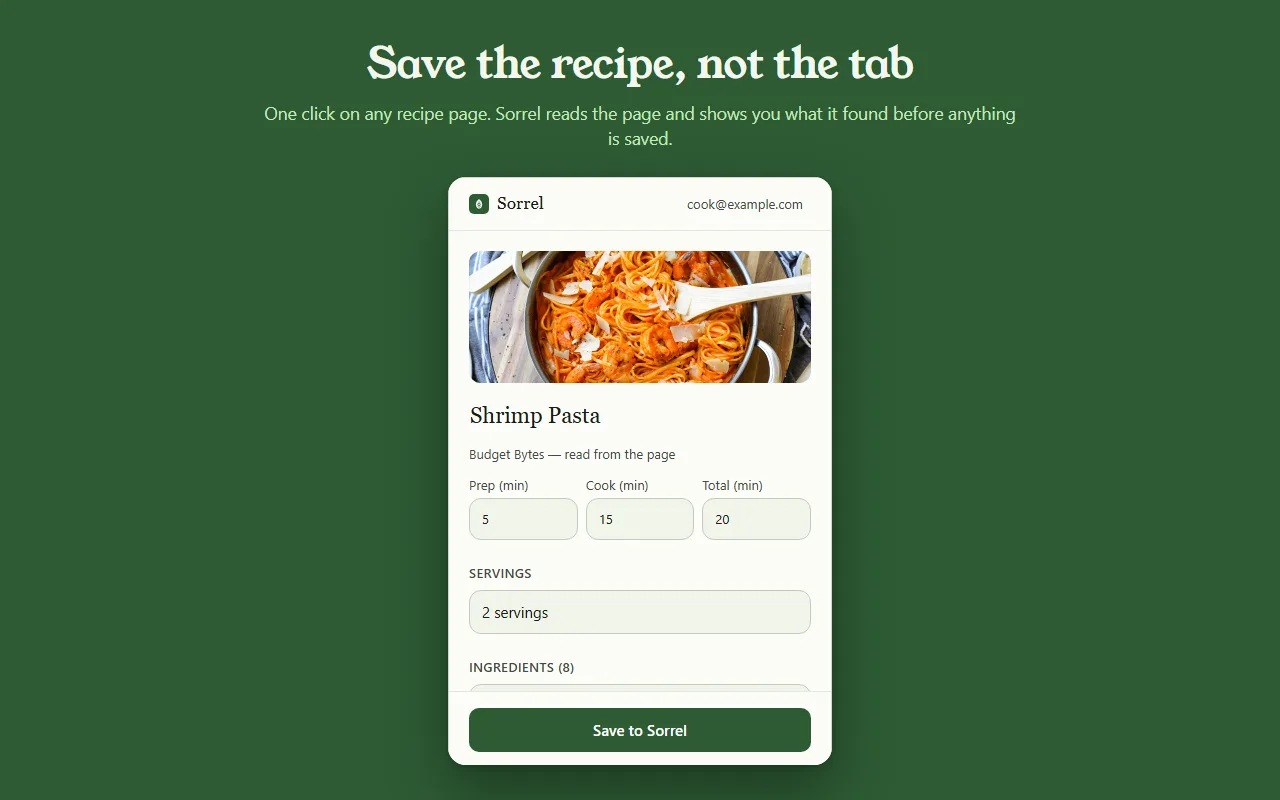
Uma prévia do de verdade — nada sai desta página.
Most save buttons are a black box. Sorrel puts the recipe in an editor you can type in — title, prep, cook and total time, servings, every ingredient, every step — and tells you which parts it read off the page.
Some sites bury the recipe in a widget. When Sorrel cannot read all of it, it says so, shows you what it did get, and lets you finish the job — here, or later on your phone.
Open a page you saved months ago and Sorrel tells you, by name, instead of quietly making a second copy. It keeps a small index of your own library in the browser to answer that without asking the network.
No account? No problem.
Not signed in, Sorrel hands you a QR code. Point your phone at it and the app opens the recipe and adds it to your library. No email, nothing to join, and the link keeps working for 30 days.
This is not a teaser with a countdown on it. It is a real way to use the extension for as long as you like, and it never asks you for anything.

In Sorrel on your phone, ask for a code and type it into the extension. A saved recipe is then in your library within seconds — in the browser, on your phone, and in the household you share a cookbook with. Sync is part of Sorrel Pro.

It declares no match patterns for any site and cannot read a page you have not invoked it on. Page access comes from your click alone. It talks to one server — api.sorrelapp.io — and there are no analytics, no telemetry and no third-party endpoints.
Sim — o Sorrel é um salvador de receitas grátis que se instala no Chrome, e em qualquer navegador Chromium como Edge, Brave ou Arc. Abra uma página de receita, clique na folha na sua barra de ferramentas, e o Sorrel lê a receita, mostra o que encontrou e salva — no seu celular e também no seu navegador.
Não. Sem login, a extensão te dá um QR code — aponte o celular para ele e a receita abre no app Sorrel. Entre depois, com um código de seis caracteres, e as receitas salvas sincronizam com o seu celular automaticamente. De um jeito ou de outro, não há nada para se cadastrar.
Qualquer página de receita — um blog de comida, um jornal, uma loja. O Sorrel pega o título, a foto, os tempos, os ingredientes e os passos e deixa para trás a história de vida e os anúncios. Quando uma página esconde parte da receita, ele mostra o que conseguiu e deixa você finalizar com um toque.
A extensão é grátis, sem anúncios e sem rastreamento. Ela conversa com um único servidor — api.sorrelapp.io — e não declara acesso a nenhum site até você clicar. Salvar na sua biblioteca e sincronizar com o seu celular fazem parte do Sorrel; uma assinatura só é necessária para coisas como a importação de vídeo.
Chrome e Edge hoje, e os navegadores Chromium feitos em cima deles — Brave, Arc, Opera e Vivaldi. Você instala uma vez pela Chrome Web Store e funciona igual em todos eles.
Free · Chrome and Edge · No account needed