
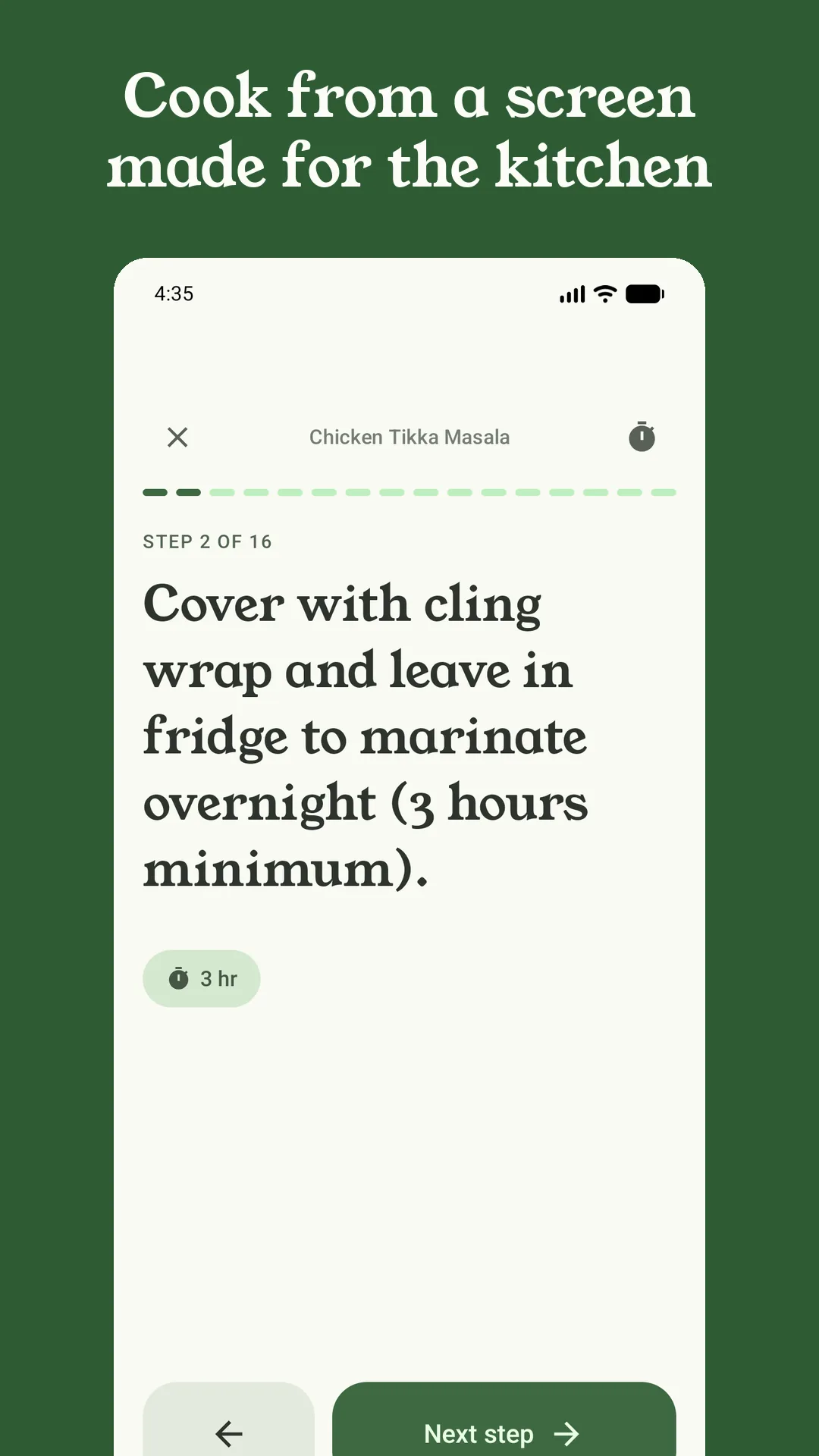
Cook mode is where Sorrel earns its keep: one step at a time, in type big enough to read from across the counter. Here’s what has changed there lately — none of it dramatic, all of it the kind of thing you notice with flour on your hands.
Snap the plate
When you finish a recipe, cook mode now offers Snap the plate. Take a photo of what you made and it’s saved to that recipe, in a Your plates strip on the recipe page — so the next time you open it you can see how it turned out last time, and the time before. You can add photos from your camera roll later, delete them, or make one the recipe’s cover. If a recipe had no photo at all, your first plate becomes its cover.
Photos are shrunk to a sensible size, and their location data is removed before they’re saved. Plate photos are on Android now, and coming to iPhone.
Timers you can see from anywhere
Tap the time in any step — “simmer for 20 minutes” — and a timer starts, named after the step. You can run several at once; each one has +1 minute and pause. While a timer runs you can leave cook mode, check the shopping list or lock the phone: on Android the countdown is on the lock screen, and on iPhone it’s a Live Activity on the Lock Screen and in the Dynamic Island. When it’s done, a full-screen alarm offers +1 min, Next step or Done.
A screen that stays on
Nothing is more annoying than a phone that dims halfway through a step. Sorrel now keeps the screen on while a recipe or cook mode is open — and only then. If you’d rather it didn’t, turn off Keep screen on while cooking in Settings.
Every ingredient a step uses
Each step in cook mode shows the ingredients it mentions, so you don’t have to scroll back to the list. It used to stop at three; now it shows up to eight and wraps them onto as many lines as they need. That applies to every recipe you’ve already saved, too.
Any recipe as a flow chart
Some recipes are easier to follow as a picture: what happens in parallel, what waits for what. From any recipe’s ⋮ menu, Export flow chart draws the recipe as a one-page chart and shares it as an image or a PDF — to print and stick on the fridge, or to send to whoever is cooking with you. It’s free, on Android now and on iPhone in the next update.
Undo, everywhere it counts
Deleted a recipe by mistake, cleared the grocery list, or took the wrong meal off the week? On Android there’s an Undo for each of them, at the bottom of the screen, for a few seconds after you do it.